
 × WTM 2026
October 1–31 · Connect through innovation
The official connection app of WI Tech Month
See who's going to an event and say hi before you walk in.
Meet someone new. Right here. Right now.
Free on iOS & Android · sitbyme.co · @sitbymeapp
Scan to download
Free on iOS & Android
Get started in 3 steps
Takes about two minutes. Your next connection might be at your next event.
Download
Scan the QR code, or search "Sit By Me" in the App Store or Google Play. It's free.
Log in
Open the app and sign up with your email, or log in if you have an account.
Make your profile
Tap the profile icon (top right). Add a photo, your name, and a short bio about what you'd love to chat about.
Going to a WI Tech Month event?
Open the Events tab and favorite an event. Show others you're attending, and see who else is going. Walk in knowing someone already.
Browse WTM eventsHow Sit By Me works
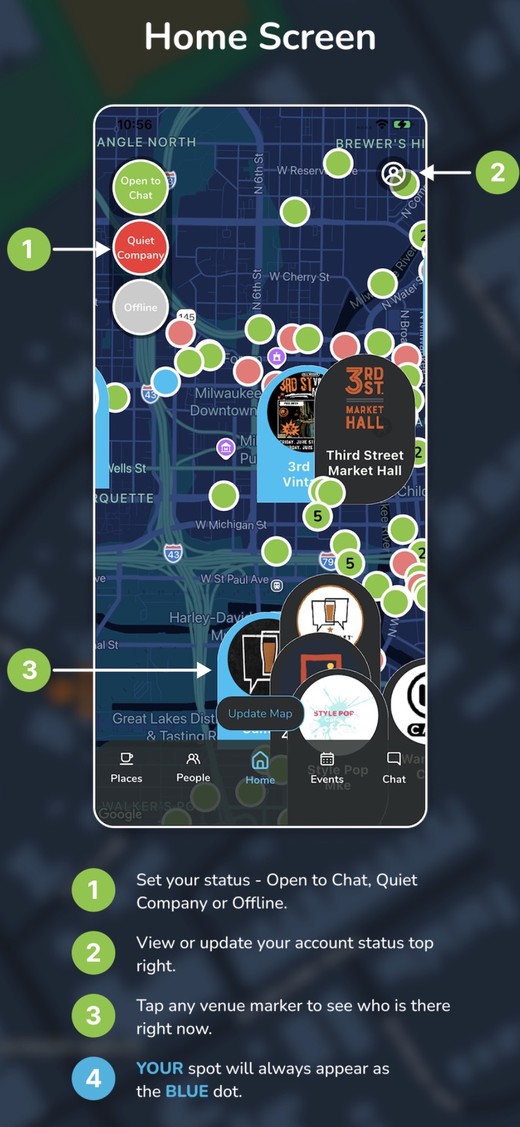
Home Screen
Set your status, see the live map, and find who's nearby.
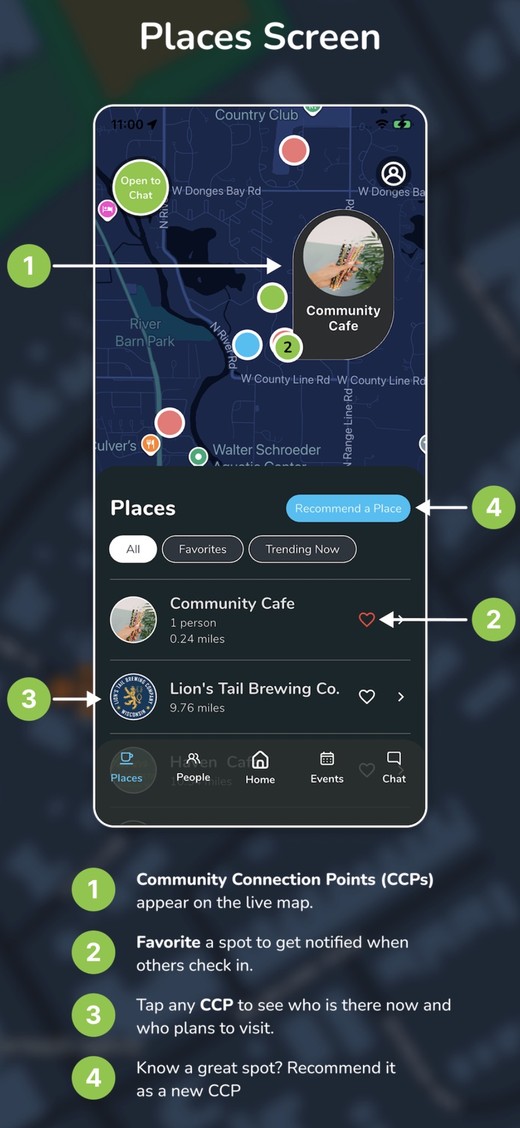
Places Screen
Find Community Connection Points — great spots to meet up.
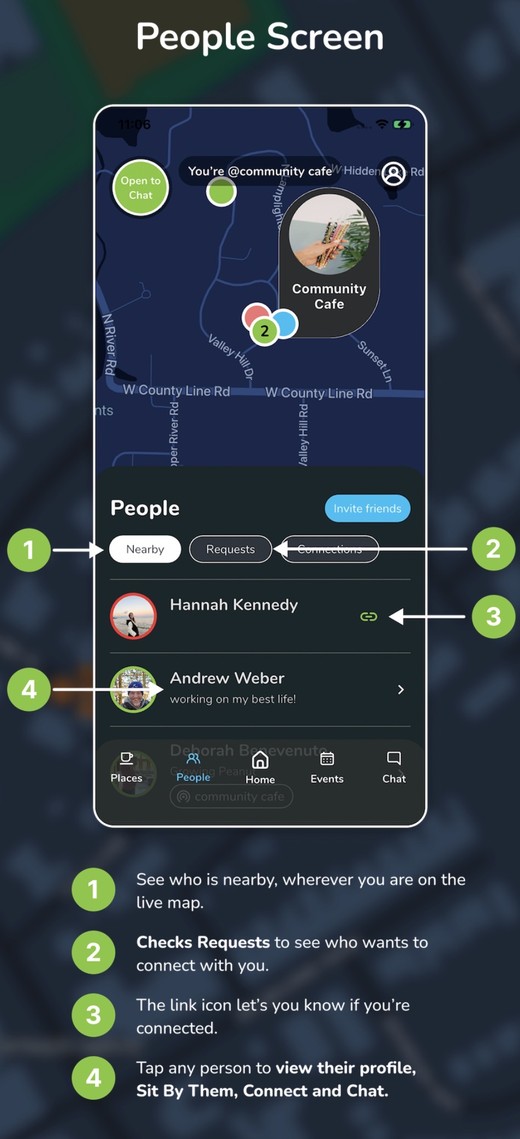
People Screen
See who's nearby and who wants to connect with you.
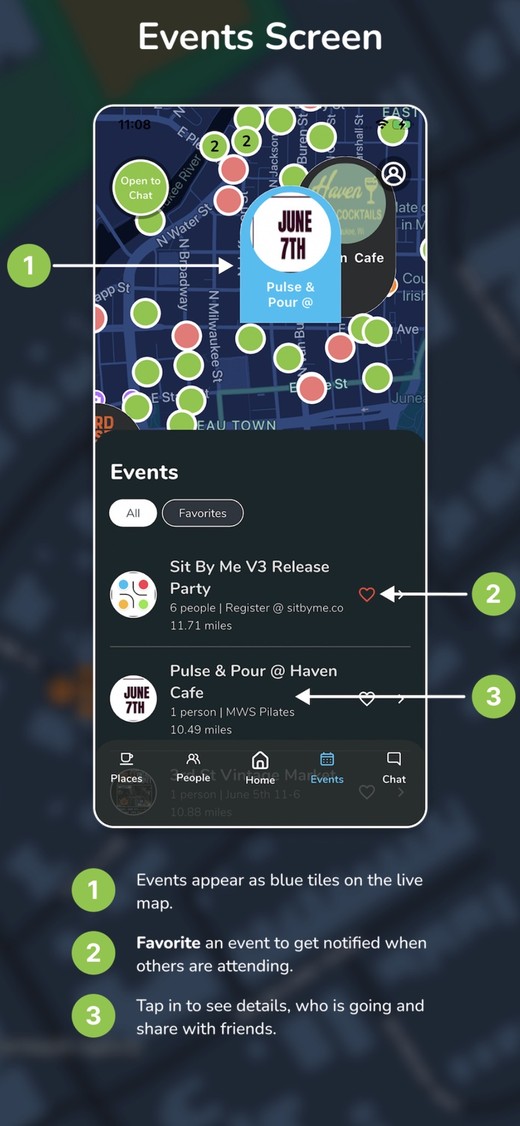
Events Screen
Favorite the events you're attending so others know you're going.
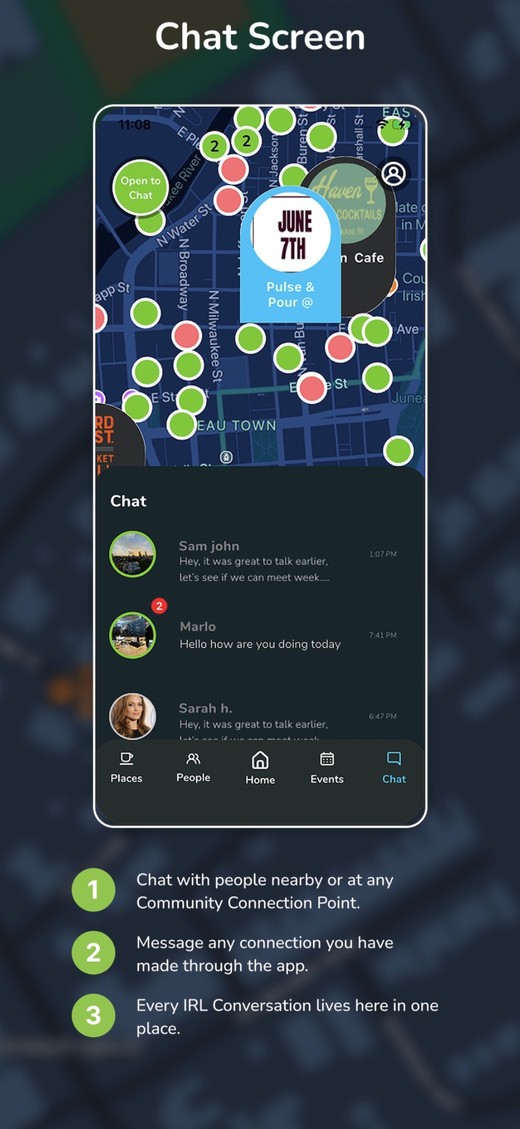
Chat Screen
Chat with people nearby — every connection in one place.